A notes and tasks app for Mac and the web
Capture anything.
Find anything.
Nothing gets in the way.
Everything you write, on every device you own, a second after you write it. Fast enough to use for the thought you were only half sure was worth keeping.
Download for Mac Request beta access See what it does
Version 1.0.5 · free · macOS 15 or later · signing in needs a beta account. iPhone and iPad apps are not released yet.
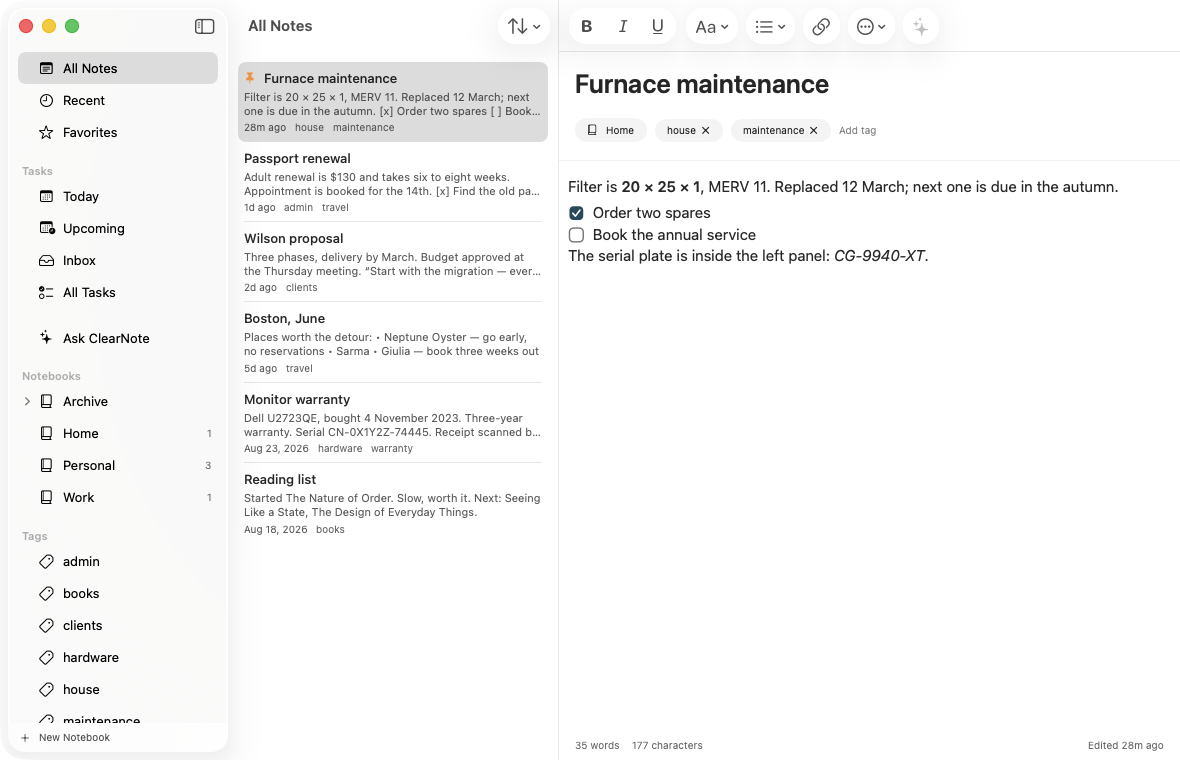
Everything works offline, on every device. Your notes are yours to take out whenever you want, in a format that outlives us.
ClearNote keeps a full copy of your library on each device and syncs it through your ClearNote account, so a note written on a Mac is on your phone and in your browser a second later. Notes are encrypted at rest on the server with AES-256-GCM — that protects a stolen database, and it is not the same as end-to-end encryption, so we do not say that it is.
Export the whole library at any time and you get ordinary HTML, Markdown and attachment files — readable in a browser, on a machine with no network, forever.
What it does
An import that proves itself
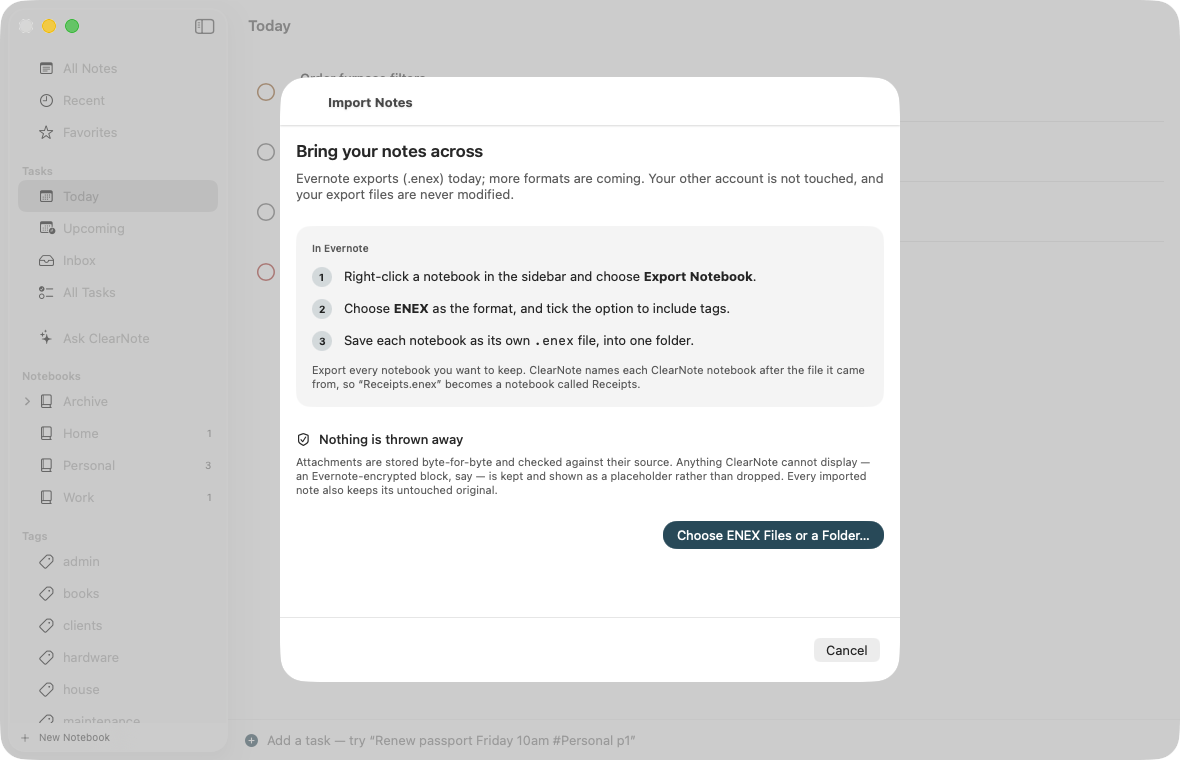
Bring an existing archive in and get a report with the arithmetic in it: notes found against notes imported, attachment bytes expected against bytes actually stored, and every single thing that needed a fallback.
If one figure does not match, ClearNote does not call it a success.
Evernote exports work today, so does a folder of Markdown files, and on the Mac so do the notes in Apple Notes. In a browser you can also bring in a Google Keep Takeout and a Notion export. The verification is the part that generalises.
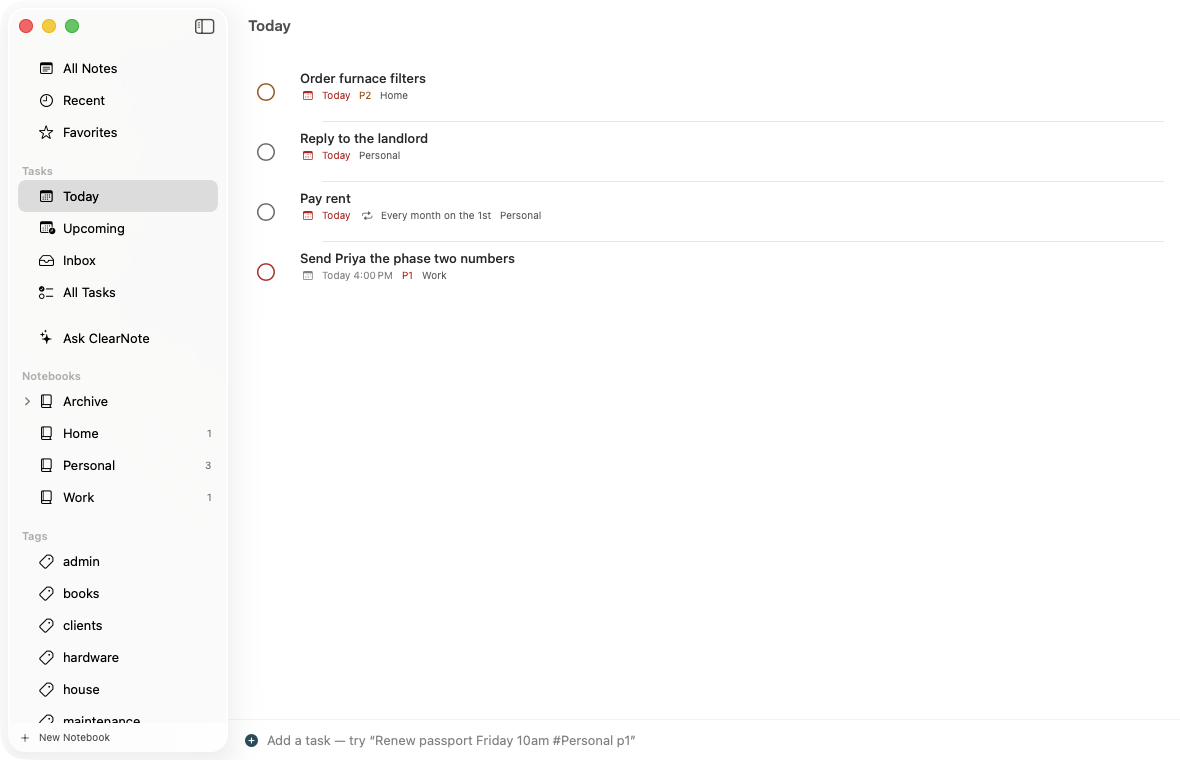
Tasks with a fast mouth
Type Renew passport Friday 10am #Personal p1 and it is understood — date, time, project, priority, repeats. ClearNote shows you what it read before the task is created, so a misread date is caught by you rather than discovered a week later.
Parsed on your device, deterministically. No model, no network, works on a plane.
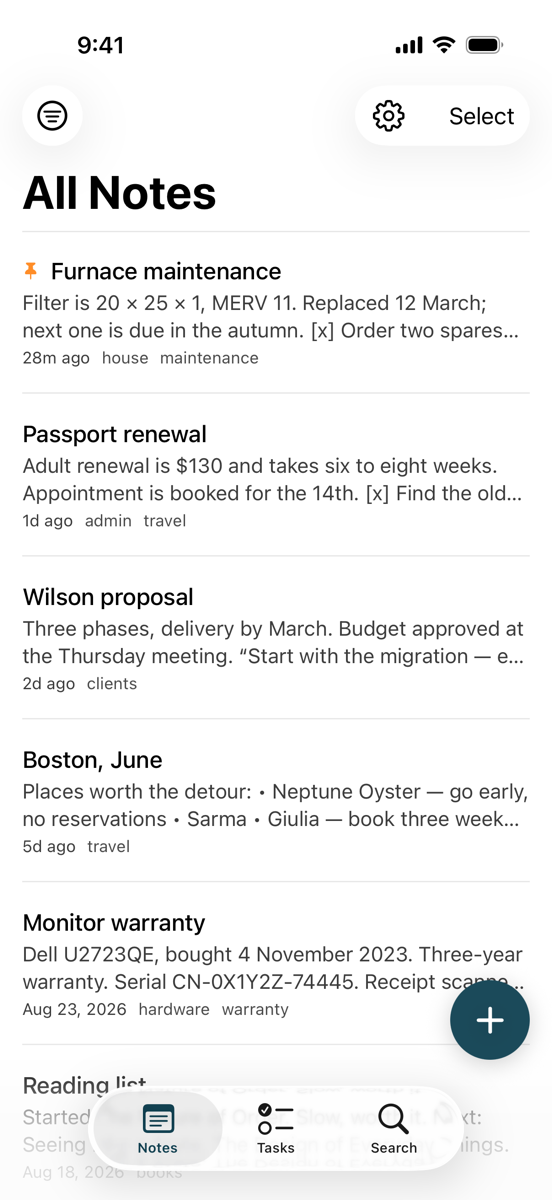
The same library, in your pocket
One capture button: a note, a task, a scan, a photo, or a file. Scan a page and ClearNote finds the edges, straightens it and reads the text on device — the scan stays the original, the text is added beside it and becomes searchable.
A share extension saves from Safari, Photos and Files in two taps.
Notes that get out of the way
Headings, lists, checklists, quotes, code, tables, links, images and attachments. Notebooks nest, tags are cheap, and typing never waits for saving, syncing or indexing.
Everything findable, offline
Note bodies, tags, notebooks, task names, attachment filenames, text read from your scans and text inside PDFs — all indexed on device. Searching cafe finds café.
Ask your own notes
A question in plain language, answered with citations back to the notes it came from. Only the matching passages are sent, never your library — and it is off until you turn it on.
Quick capture from the menu bar
A note, a task, the clipboard, or a search, without opening the main window.
Attachments kept honestly
Original bytes, hashed on the way in and checked afterwards. Never recompressed, never renamed, never the only copy.
An export you can trust
Every note as HTML and Markdown, every attachment byte-for-byte, and a documented manifest. No subscription and no server required to read it.
The three promises
Nothing gets lost
Attachments are hashed and verified. Sync conflicts keep both versions rather than picking one. Edits keep a history. An import that does not add up says so, loudly, instead of claiming success.
Nothing gets in the way
No dashboards, no streaks, no AI in every corner. A short sidebar, one capture button, and your words.
Nothing is locked in
Export the whole library to ordinary files at any time. ClearNote exists because being trapped in a notes app is miserable; it is not going to do that to you.
Where it stands
Mac: version 1.0.5 is available to download now, signed and notarized by Apple. Web: live for beta accounts. iPhone and iPad: built and tested, but not released — there is no TestFlight or App Store listing yet, and nothing to download.
ClearNote is in private beta, so signing in needs an account that has been let in. Asking for one is a form with an email address in it; there is no sign-up and no mailing list.
Download for Mac Request access Prepare your Evernote export